Clipboard Manager icon

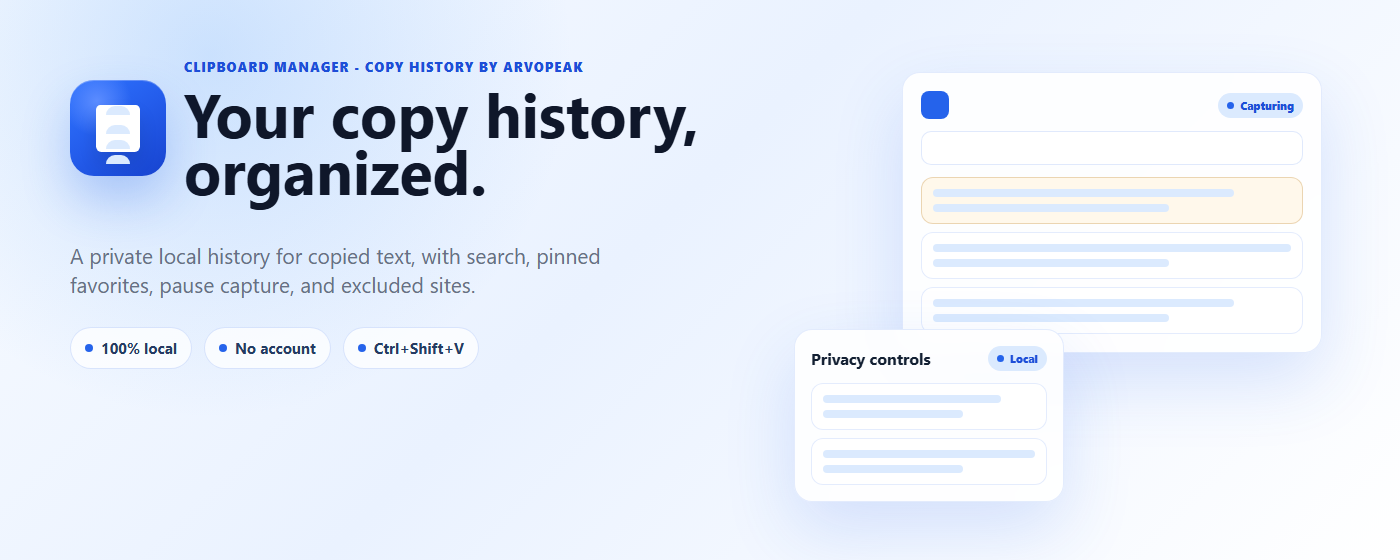
Your Copy History,
Organized & Private

Never lose something you copied again. Clipboard Manager quietly keeps a local history of the text you copy, so you can search it, click to bring it back, and pin the snippets you reuse every day — addresses, links, replies, code, anything. Everything stays on your device. No account, no cloud, nothing ever sent to a server.

Automatic History Search & Pin Ctrl/Cmd+Shift+V Pause Capture 100% Local
Add to Chrome — Free All Extensions

Want more? See Pro — $11.99 lifetime →

Clipboard Manager — your copy history, organized and searchable

Copy History, Ready When You Need It

Search, pin, and re-paste — right from your Chrome side panel or a dedicated full-screen view.

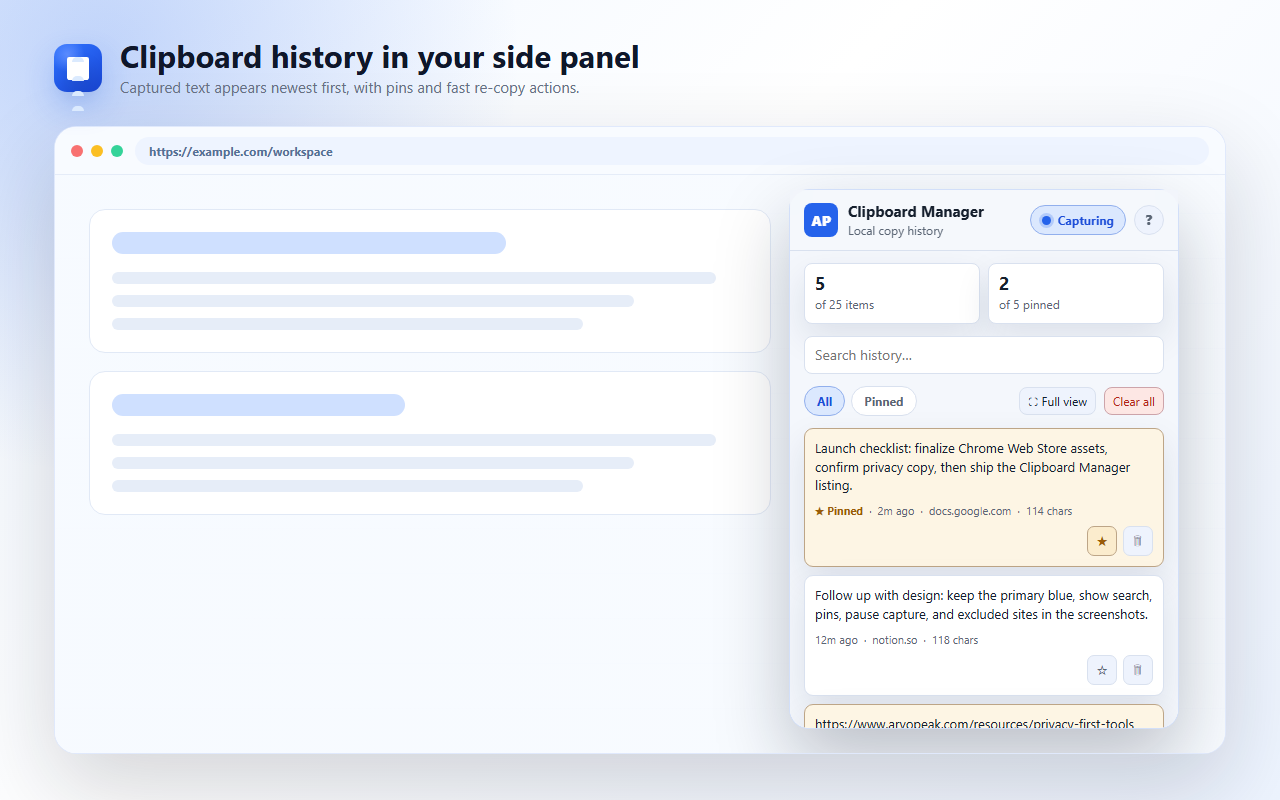
Clipboard history in your side panel — captured text appears newest first, with pins and fast re-copy actions
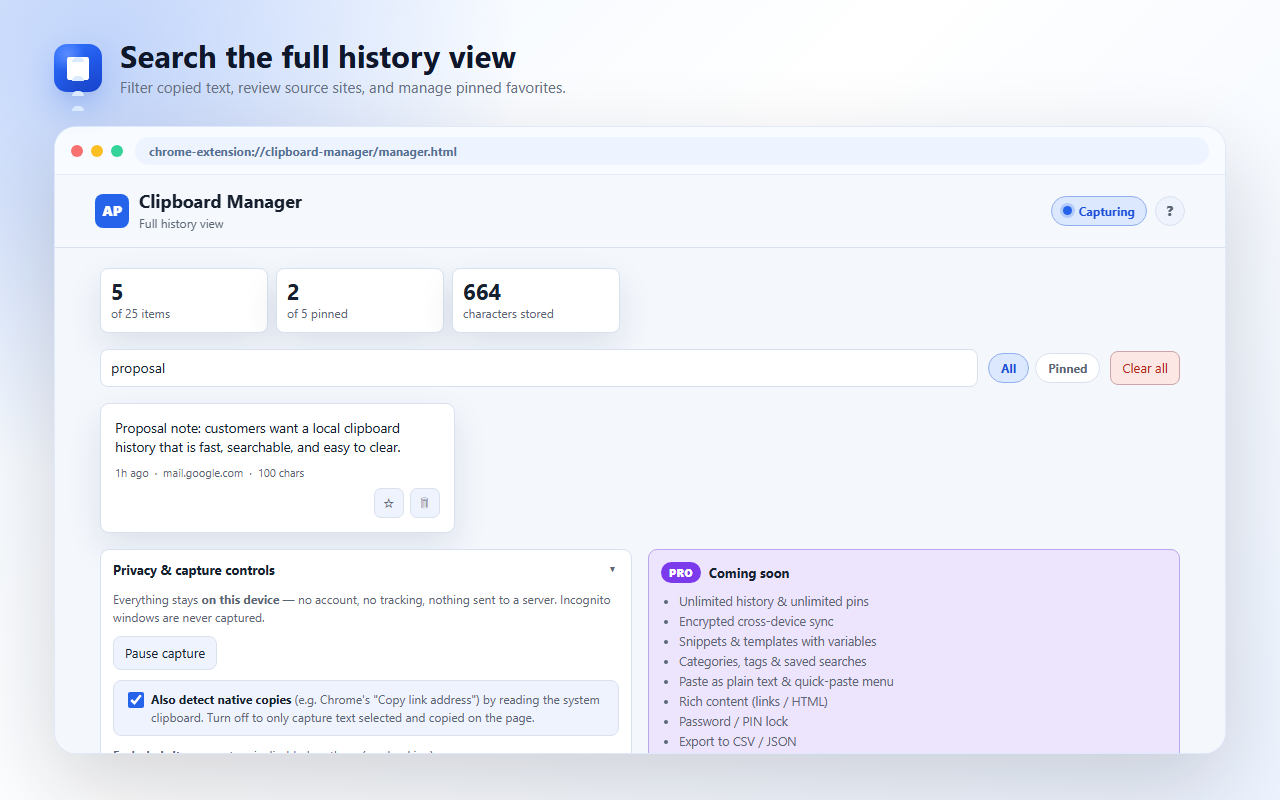
Search the full history view — filter copied text, review source sites, and manage pinned favorites
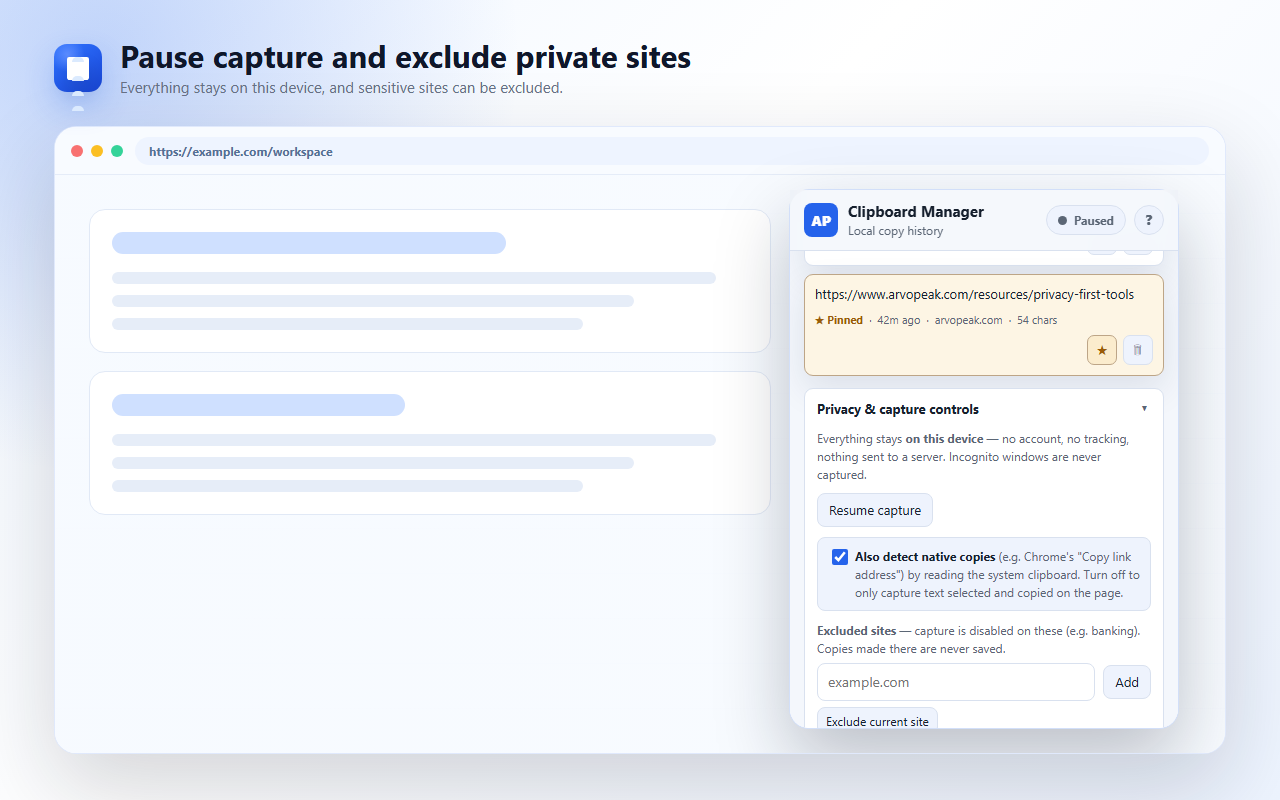
Pause capture and exclude private sites — everything stays on this device
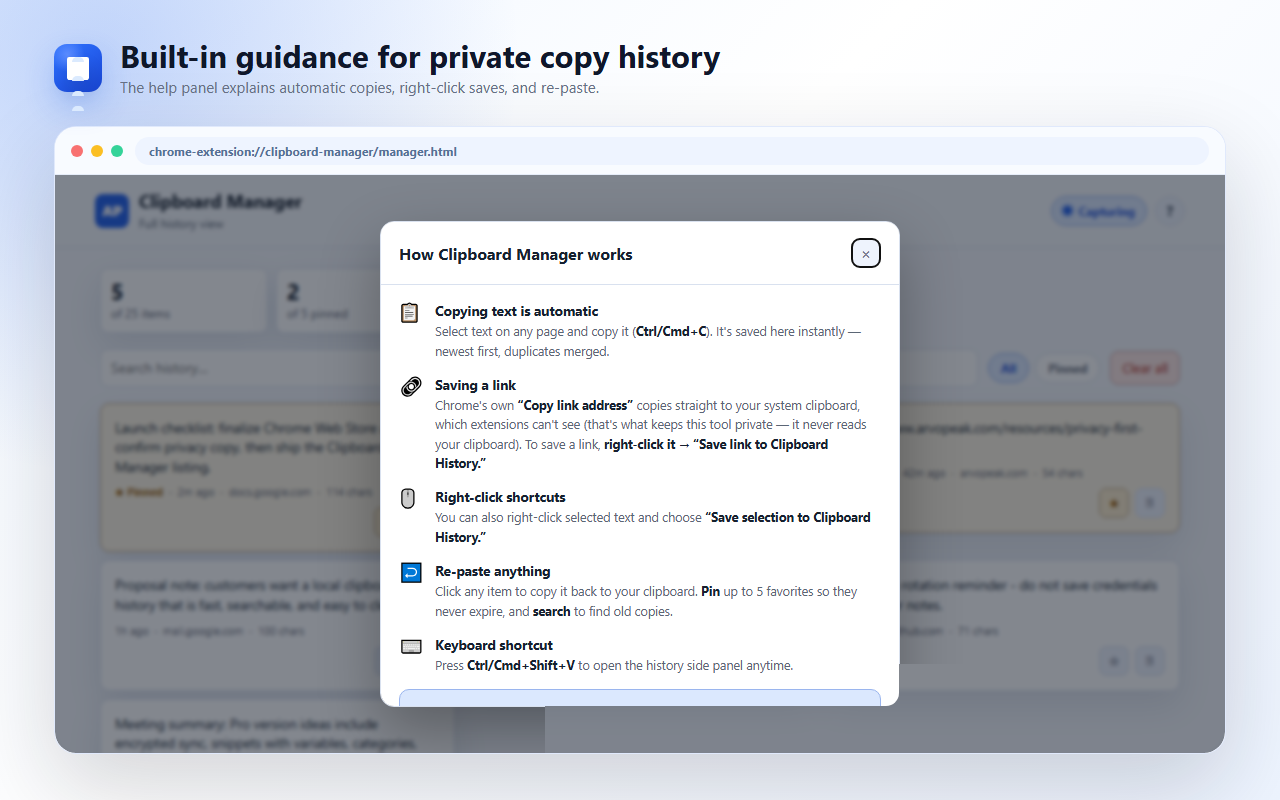
Built-in guidance explains automatic copies, right-click saves, and re-paste

Everything You Need to Never Lose a Copy

All of this is free — no account required, nothing sent to a server.

📋

Automatic Copy History

The last 50 text items you copy are saved automatically, newest first — no setup required.

🔁

Duplicates Merged

Copy the same thing twice and it moves to the top instead of piling up as a separate entry.

🖱️

Click to Re-Copy

Click any item in your history to copy it straight back to your clipboard, ready to paste.

🔎

Instant Search

Search across your whole history to find that one thing you copied an hour — or a week — ago.

Pin Up to 5 Favorites

Pin the snippets you reuse every day — addresses, replies, links — so they never expire or get pushed out.

🗑️

Delete or Clear All

Remove a single item, or clear your entire history in one click.

⌨️

Keyboard Shortcut

Press Ctrl/Cmd+Shift+V to open your clipboard history side panel from anywhere.

🖥️

Full-Screen View

A dedicated full-page view for browsing and searching your history more comfortably.

🖱️

Right-Click to Save

Right-click a link or selected text on any page to save it straight to your history.

🔗

Detects Native Copies

Also captures actions like Chrome's "Copy link address" automatically — you can turn this off anytime if you'd rather it only capture on-page copies.

Built to Stay Out of Your Way — and Off Servers

Your clipboard can hold passwords, private replies, and sensitive links. It stays that way — private.

🔒

100% Local Storage

Your clipboard history never leaves your device — nothing is ever sent to a server.

🚫

No Account, No Tracking

No sign-up, no login, no analytics on what you copy.

🕶️

Incognito Never Captured

Incognito windows are never captured, by design.

⏸️

Pause Anytime

Pause capture with one click, with a clear on/off indicator so you always know its status.

🌐

Exclude Specific Sites

Exclude sites like your bank so they're never captured, ever.

👋

Transparent First Run

A first-run screen explains exactly what is captured before you ever use it.

⭐ Clipboard Manager Pro

Never Hit a Limit Again

Unlimited history and pins, encrypted sync across your devices, and reusable templates with variables — everything in Free stays free, forever.

♾️

Unlimited History & Pins

Free keeps your last 50 copies and 5 pins. Pro removes both caps and raises the per-copy limit from 20,000 to 500,000 characters, so long documents and code blocks are captured in full.

☁️

Encrypted Cross-Device Sync

Sync your history to your other Chrome devices, end-to-end encrypted with a passphrase only you know — we can't read it, and neither can Google.

🧩

Snippets & Templates with Variables

Save reusable text and drop {{placeholders}} anywhere in the body — you'll be prompted to fill them in each time you use it.

🏷️

Tags, Categories & Saved Searches

Tag any copy (#work, #invoice, #client), filter your whole history by tag in one click, and save searches you use often.

Quick Paste & Plain Text

Right-click any text box to insert a recent copy without switching windows, or toggle "paste as plain text" to strip source formatting.

🔗

Rich Content — Links & HTML

Copied links and HTML are detected and badged automatically — open any saved link in a new tab straight from your history.

🔐

Password / PIN Lock

Lock your history behind a PIN. It stays hidden and blurred until unlocked — the PIN is never stored, only a cryptographic hash of it.

📤

Export to CSV or JSON

Export your full history — text, source site, tags, pin status, and timestamps — for Excel, Sheets, backups, or scripting.

Auto-Expiry Rules

Set copies to auto-delete after 1, 7, 30, or 90 days so old clipboard data doesn't pile up. Pinned items never expire.

Feature Free Lifetime
History & pins 50 items, 5 pins Unlimited
Per-copy size limit 20,000 characters 500,000 characters
Cross-device sync Encrypted, end-to-end
Snippets & templates with variables
Tags, categories & saved searches
Quick paste & paste as plain text
Rich content — links & HTML
Password / PIN lock
Export to CSV / JSON
Auto-expiry rules 1 / 7 / 30 / 90 days
Devices & renewals This browser only All your devices, lifetime

$11.99 one-time — never expires

Pay once, unlock unlimited history & pins, encrypted sync, snippets & templates, tags, PIN lock, and export — on all your devices, forever.

🔒 Secure checkout via Paddle — we never see or store your card details.

Common Pro Questions

Your license key arrives by email right after checkout. Open the extension, go to the Pro tab, click Activate License, and enter your email and key — Pro unlocks immediately, no reinstall needed.

Yes — it's a lifetime license, not tied to a single browser. Activate it with the same email and key on every device you use, and your encrypted sync keeps them in step.

No — it's a single $11.99 payment that never expires. No renewals, no recurring charges.

No. Sync is end-to-end encrypted with a passphrase only you know, and your data is encrypted on your device before it ever leaves it — we can't read it, and neither can Google.

See our refund policy for details — reach out to [email protected] and we'll take care of it.

🔒

Local & Private by Design

Everything stays on your device — your copy history is stored locally in Chrome storage using 100% local storage. There's no account, no sign-up, and no tracking. Incognito windows are never captured, and you can pause capture or exclude specific sites, like your bank, anytime.

Read our Privacy Policy →

Stop losing what you copy — free

Search, pin, and re-paste anything you've copied — 100% local, no account needed.

📋 Add to Chrome — Free Browse All Extensions

by ArvoPeak — www.arvopeak.com