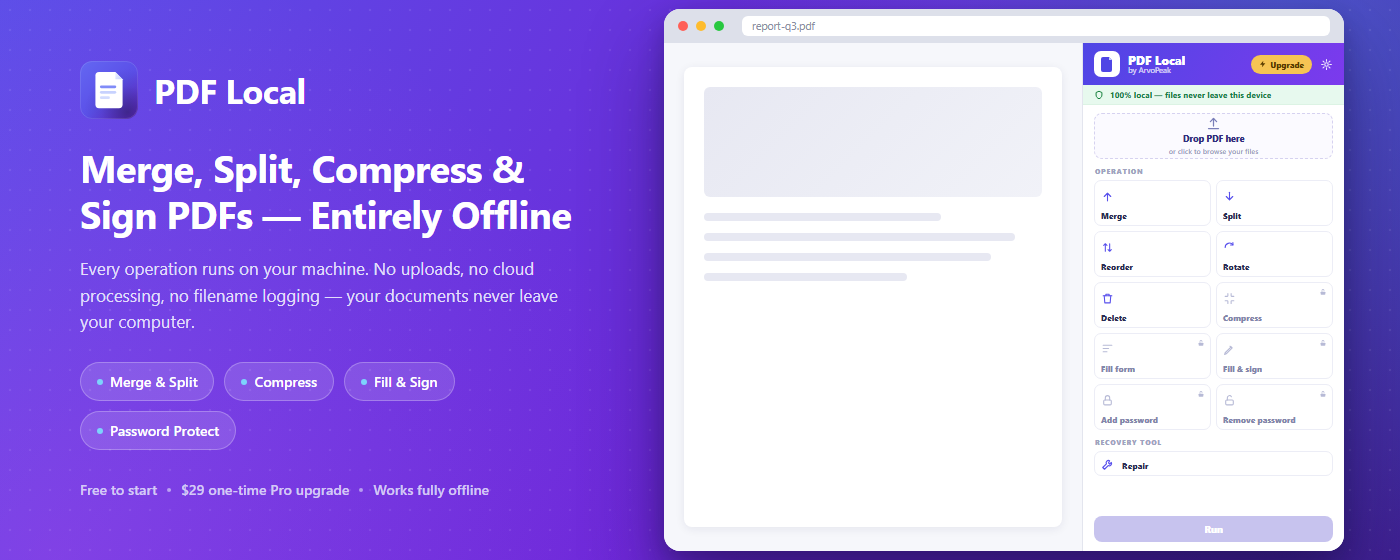
PDF Local edits your documents entirely inside your browser. Merge, split, reorder, rotate, compress, fill, and sign PDFs — your files never leave your computer. No uploads, no cloud, no account, and it works even with your Wi-Fi off.
Want more? See Pro — $19.99 lifetime →
Tools like Smallpdf, iLovePDF, and Adobe's web editor all work the same way: your document gets uploaded to their servers to be processed. PDF Local doesn't. Every merge, split, compress, and signature happens locally, on your machine, using WebAssembly running inside the extension — nothing is ever transmitted anywhere.
All of this is free — no account required, nothing sent to a server.
Combine up to 2 PDF files into one document — free forever, right from your side panel.
Pull out exactly the pages you need, or split one document into several separate files.
Drag pages into the order you want using a live thumbnail grid — no guessing page numbers.
Fix sideways or upside-down scans, one page at a time or the whole document at once.
Remove unwanted pages before you save, print, or send the file on.
Every operation runs locally in your browser — no internet connection required, ever.
Contracts, IDs, tax forms, medical records — the documents people run through a "free PDF tool" are often the ones they can least afford to expose. PDF Local was designed so that risk simply doesn't exist.
No file, filename, or page content is ever uploaded. Check DevTools' Network tab yourself — zero outbound requests during every operation.
Every WASM binary, script, and asset ships inside the extension package. Nothing is fetched from a CDN at runtime.
Nothing about your documents, filenames, or usage is ever logged, tracked, or analyzed.
Pro unlocks with a signed license key verified locally on your device. No activation server, no phone-home, ever.
No <all_urls>, no tabs access, no host permissions — the extension only ever touches the files you hand it.
Install and start editing PDFs immediately. No sign-up, no login, no cloud storage.
Batch processing, compression, form filling, signing, and password protection — everything Free stays free, forever, plus the tools power users actually need.
Merge unlimited files at once, and every Free-tier single-file cap disappears.
Queue up multiple files and run the same operation across all of them in one pass.
Shrink file size with Light, Balanced, or Strong presets — built for image-heavy PDFs.
Fill out interactive PDF forms directly in your browser, then save the completed file.
Draw, type, or upload a signature image, place it on any page, and flatten it into the document.
Add AES-256 password protection to a PDF, or remove a password you already know.
| Feature | Free | Lifetime |
|---|---|---|
| Merge PDFs | Up to 2 files | Unlimited |
| Split & extract pages | 1 file at a time | Unlimited |
| Reorder, rotate & delete pages | ✓ | ✓ |
| Batch processing (queue multiple files) | — | ✓ |
| Compress PDF | — | Light / Balanced / Strong |
| Fill form fields | — | ✓ |
| Fill & sign (draw / type / upload) | — | ✓ |
| Password protect / remove | — | AES-256 |
| Files ever leave your device | Never | Never |
| Devices & renewals | This browser only | All your devices, lifetime |
Pay once, unlock batch processing, compression, form filling, fill & sign, and AES-256 password protection — on all your devices, forever. No subscription, no renewals.
🔒 Secure checkout via Paddle — we never see or store your card details, and we never see your PDFs either.
No. Every operation — merge, split, compress, fill, sign — runs locally in your browser using WebAssembly bundled inside the extension. Nothing is uploaded, cached remotely, or transmitted anywhere. Open DevTools' Network tab while using it and you'll see zero outbound requests.
No — it's a drawn, typed, or uploaded signature image placed on the page and flattened into the file, with no server-side audit trail. It's great for informal signing, but if you need a certified e-signature for a legal contract, use a dedicated e-signature service instead.
Each input file is capped at 200MB, since everything is processed in your browser's memory rather than on a server. You'll get a clear message if a file is over the limit instead of a crash.
Your license key arrives by email right after checkout. Open the extension, go to Settings, click Activate License, and enter your email and key. Verification happens locally on your device — Pro unlocks immediately, no reinstall and no internet check needed afterward.
Yes — it's a lifetime license, not tied to a single browser. Activate it with the same email and key on every device you use.
No — it's a single $19.99 payment that never expires. No renewals, no recurring charges.
See our refund policy for details — reach out to [email protected] and we'll take care of it.
PDF Local processes every file entirely on your device using WebAssembly bundled inside the extension. There's no upload step, no cloud fallback, no filename logging, and no telemetry — not even anonymous. There's no account, no sign-up, and Pro activation is verified locally with no server call. Uninstalling the extension leaves no residual data behind.
Read our Privacy Policy →